Note: Outfits must be created and saved using the Firestorm Viewer. This cannot be done through MoonBots. You will need to log in to Firestorm first before following the steps below.
First, make sure your inventory is open. You can do this in a few ways:

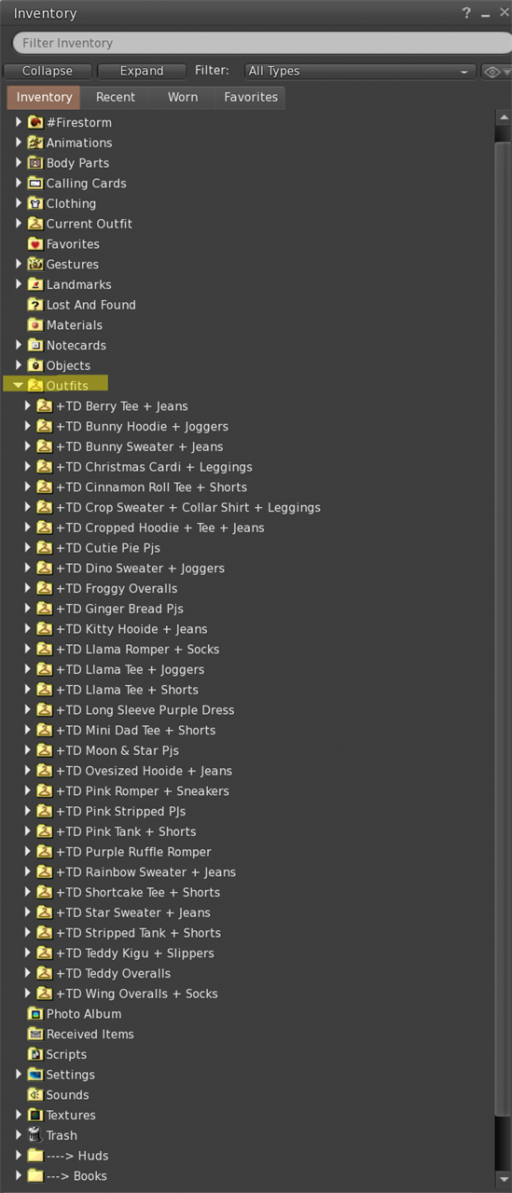
In your inventory, look for the Outfits folder -- it's usually near the top of your inventory list. This is where all your saved looks are stored.
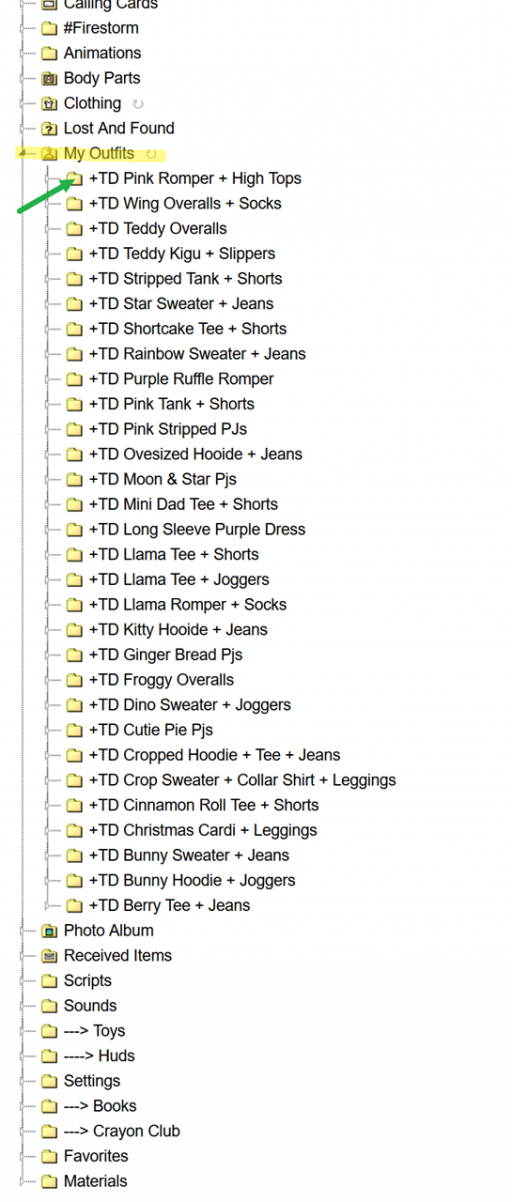
You can also use the My Outfits tab if you're working from the Appearance panel (more on that below).
To wear items:
To remove items:
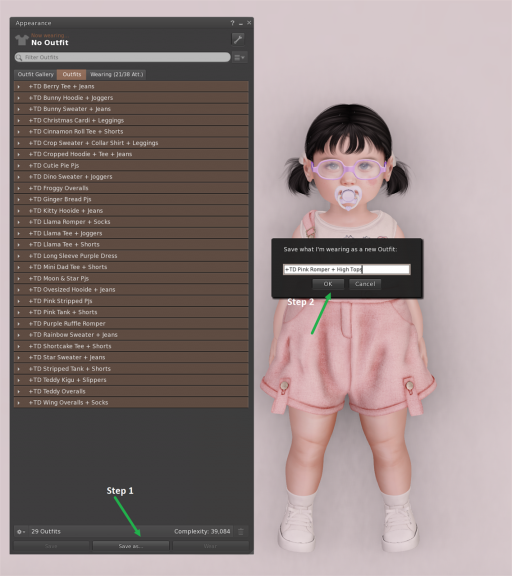
Once you've got everything looking the way you want:
Your outfit is now saved in the Outfits folder in your inventory!
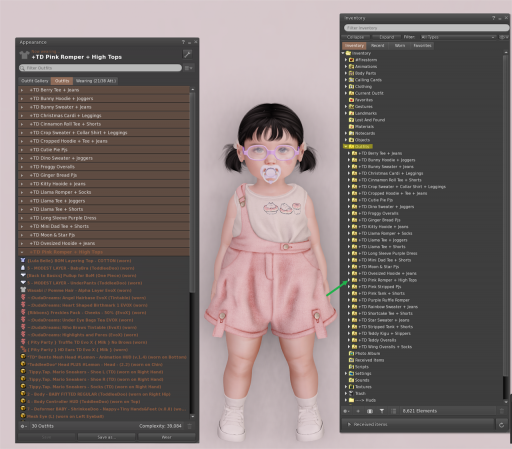
Once your outfits are saved, you have a couple of ways to wear them:
From Firestorm:
From your MoonBots HUD or MoonBot Inventory:
Your saved outfits can be easily worn through your MoonBots HUD or MoonBot Inventory Viewer.
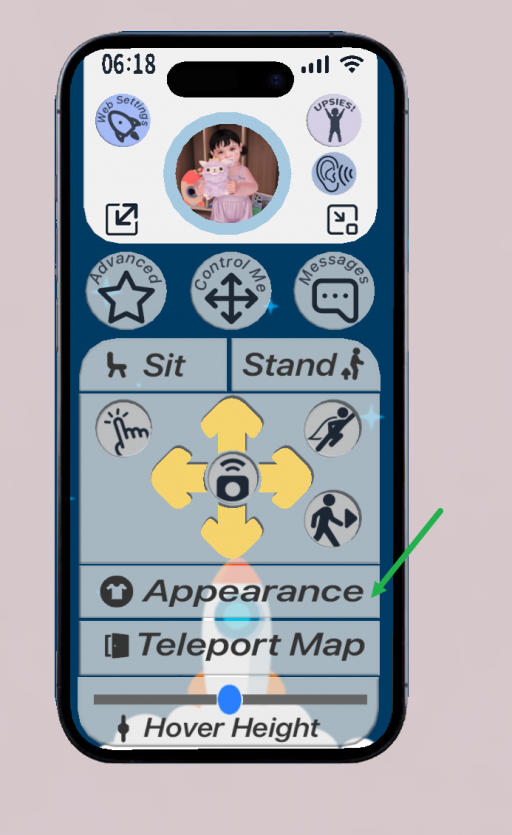
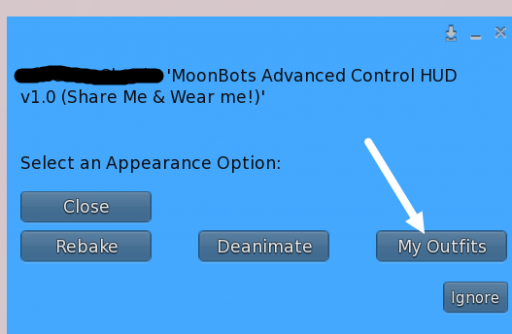
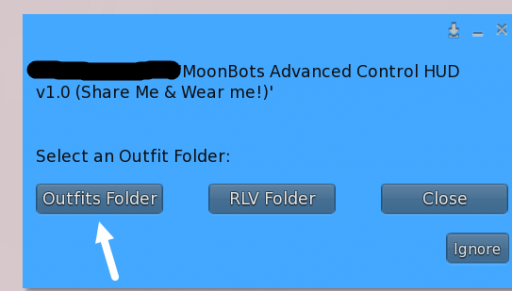
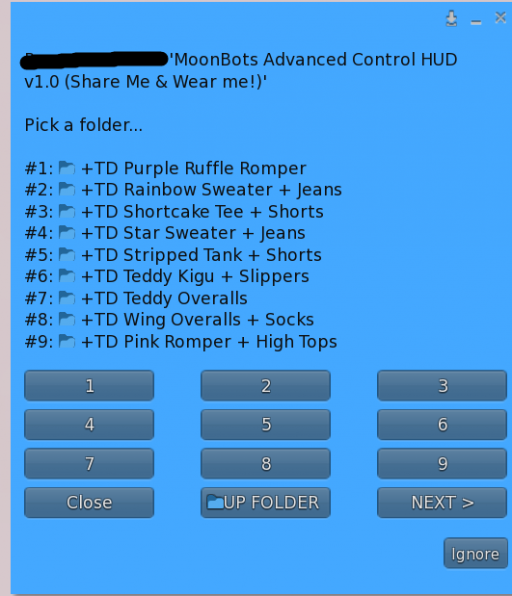
Tip: "Wear" replaces your entire current look. If you only want to swap part of your outfit, it's better to add items individually.
A few cookies keep you logged in and block bots, so those always run. Everything else stays off until you allow it: loading PayPal checkout, and any analytics we might add later. See our Cookie Policy.
Turn each purpose on or off. Nothing outside "strictly necessary" runs until you allow it, and you can change this whenever you like from the Cookie Settings link in the footer.
Keeps you logged in, protects the site from bots and abuse, and remembers settings you have deliberately changed, such as dark mode. Without these the site does not work.
PHPSESSID (login session, ends when you close the browser), cf_clearance (Cloudflare bot protection, 12 months), mb_consent (stores this choice, 6 months), theme and wm_dismissed (written only when you switch the theme or dismiss a notice, so they record a choice you made)
Loads PayPal so you can add funds to your wallet. PayPal stores data on your device to process the payment and detect fraud. If this is off, the PayPal checkout will not load until you allow it.
__paypal_storage__ and related PayPal storage, set by paypal.com
Measures which pages get used so we can improve them. Off by default and not in use today. The toggle is here so nothing can start without asking you first.
None in use today
Builds a profile of your interests to show you ads elsewhere. Off by default and not in use today.
None in use today
 MoonBots
 [Starries]